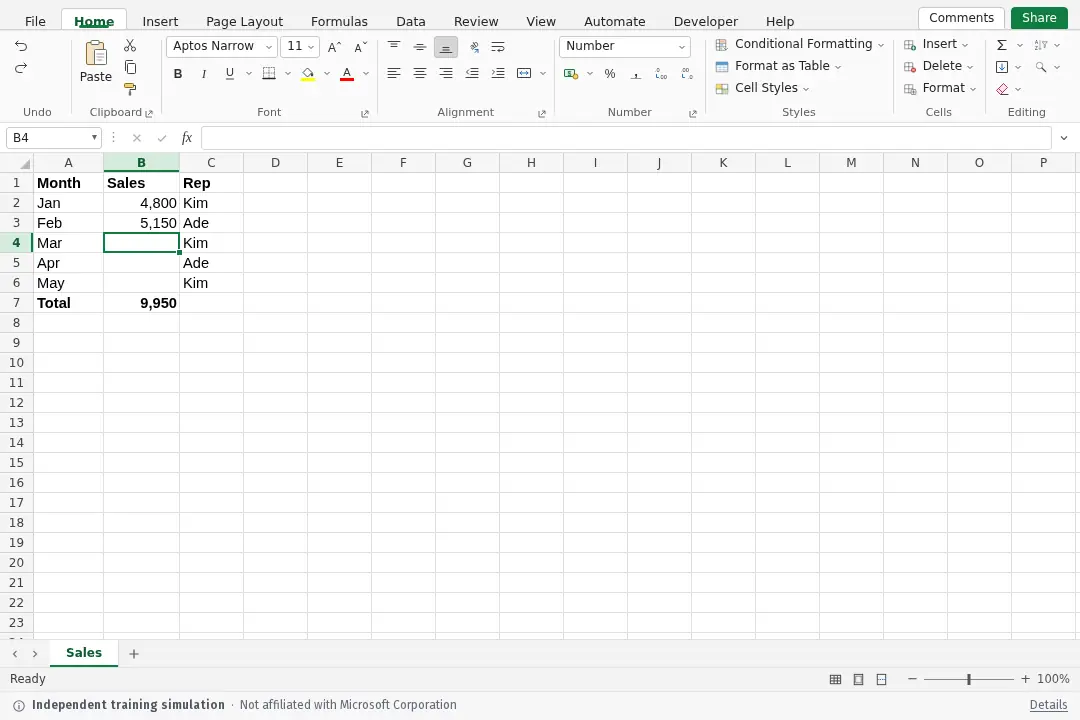
You learn XLOOKUP by typing it into a spreadsheet, getting it wrong and finding out why, far more than by reading about it. So we compared these five sites on one question: how much of your time do you spend working in a spreadsheet?
At a glance
| Microsoft Excel help | GCFLearnFree | Exceljet | Excel Exercises | The Work Gym | |
|---|---|---|---|---|---|
| How you learn | Help articles by task and function | A series of written tutorials in order | Articles and formula examples; paid video training | Short exercises in a browser spreadsheet | Lessons, then exercises in a working copy of Excel |
| Answers checked | No | No | No | Yes | Yes, with a hint that names the mistake |
| Price | Free | Free | Free articles; paid training | Free to start; Premium $19.99 a month, $59.99 a year or $199 once | First unit free; One Course $17.99 a month or $54.99 a year |
| Depth | Single tasks, from basics to PivotTables | Beginner | Beginner to advanced reference | Beginner to advanced | 176 lessons, 965 checked exercises, basics to dynamic arrays |
| Projects and interviews | No | No | No | No | Excel projects, case studies and Excel interview practice |
| Best for | Answers from the source | Starting from zero | Looking things up | Quick practice, pay once | A full course you do, not watch |
Microsoft’s Excel help
Microsoft’s Excel help and learning pages are free and official: getting started, formulas and functions such as XLOOKUP and IF, drop-down lists, PivotTables and more. Its old “Excel video training” address now leads there. You read, then try it in your own copy of Excel, and nothing checks your work.
GCFLearnFree
GCFLearnFree’s free Excel series teaches you to “create formulas and charts, use functions, format cells, and do more with your spreadsheets”, one short tutorial after another. It is one of the gentlest starts on the web. Like Microsoft’s pages, it doesn’t check your answers.
Exceljet
Exceljet explains Excel functions and formulas with clear examples, and says it offers “free resources and paid training”, the paid part being video courses. Many analysts go there to look up a function’s syntax. The free part is a reference, not a course: nothing tells you what to learn next or checks what you typed.
Excel Exercises
Excel Exercises gives you short tasks in a spreadsheet in the browser and checks the result, and you can start for free. Premium was $19.99 a month, $59.99 a year or $199 once when we checked on November 20, 2026. It is the closest to us; we compare the two in detail in Excel Exercises vs The Work Gym.
The Work Gym
Our Excel course runs from SUM and IF to lookups, SUMIFS and dynamic arrays in 176 lessons and 965 checked exercises. Each lesson is a short explanation and then work in a copy of Excel with the ribbon, the formula bar and the grid. We also check your answer on a hidden copy of the data, so typing in the expected number doesn’t pass. Projects such as the Excel projects use whole workbooks, and the Interview Hub has interview rounds where you talk through an Excel task.
The first unit, seven lessons on formula basics, is free with no account.
Which one to pick
If money is the deciding factor, start with GCFLearnFree or Microsoft’s help pages, keep Exceljet open as a reference, and practise with Excel Exercises’ free tasks. If you want one place that takes you from the basics to interview-ready, with your work checked at every step, try our free first unit and decide after that.
Related question: Excel test for a job interview: what to expect and how to practice.